 Vellm
VellmHow to make the toy car to real car AI video with your own car
By Vellm ·
The toy car to real car video is the one filmed from a train seat. A small toy car sits on the window ledge at sunset, the train goes into a tunnel, and when it comes out the toy has become a full-size car racing the train down a night road. Then it cuts to a parking garage for a slow showcase of the car.
To make it with your own car, open the Toy Car to Real Car template and upload two photos of the same car: one of the front, one of the rear. You get a 25-second vertical video (9:16) for 100 credits. You do not need a toy, a train or any editing.
What happens in the clip, second by second
Here is how it plays out, with Vellm's example car:
| Time | What you see |
|---|---|
| 0–4 s | The toy version of your car rides the window ledge. Hills and a low sun move past outside. |
| 4–9 s | The train enters the tunnel. The ledge goes dark and the tunnel lights slide across the toy. |
| 9–12 s | Out of the tunnel, the full-size car drives beside the train on a night road. |
| 12–16 s | Cut to a wet parking garage. The car drives toward the camera with its headlights on. |
| 16–25 s | Close shots: the taillight, the front, the side profile, a wheel, then the headlights to finish. |
The change happens in the dark of the tunnel, so you only catch it for a second before the car bursts out full size. The toy part is over by 12 seconds. The other 13 are the garage showcase, which is why the rear photo matters as much as the front one.
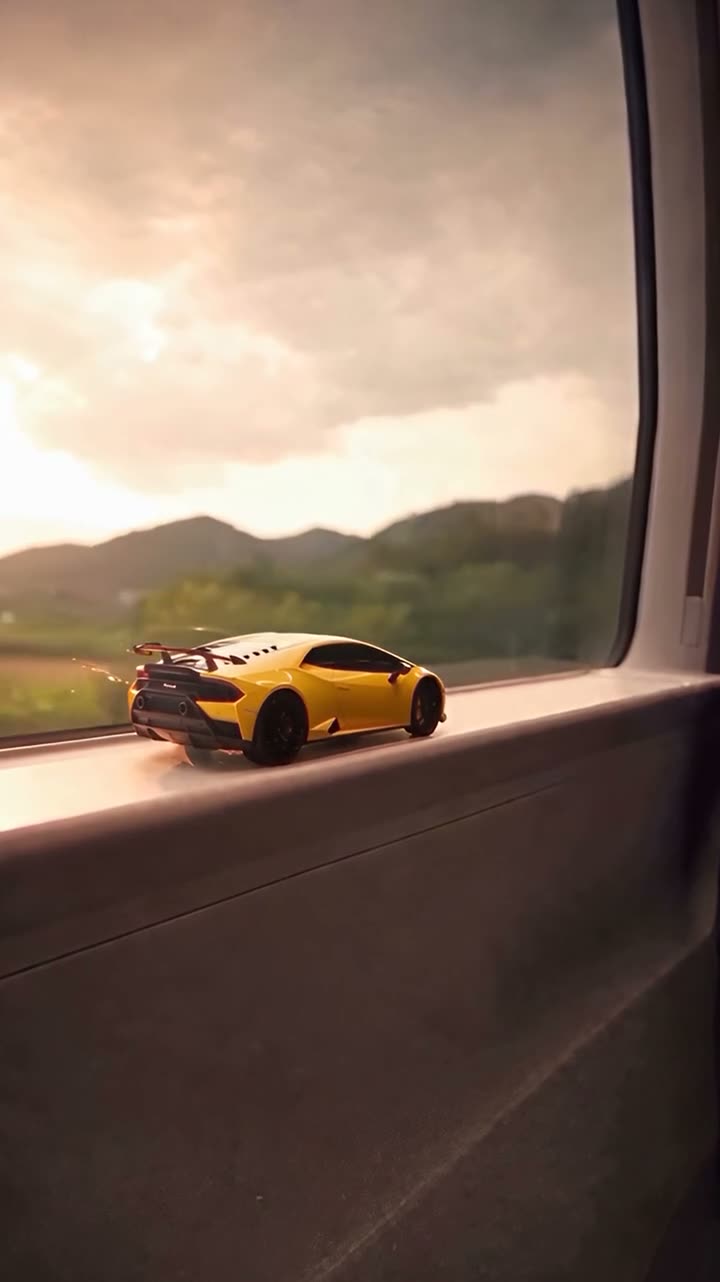
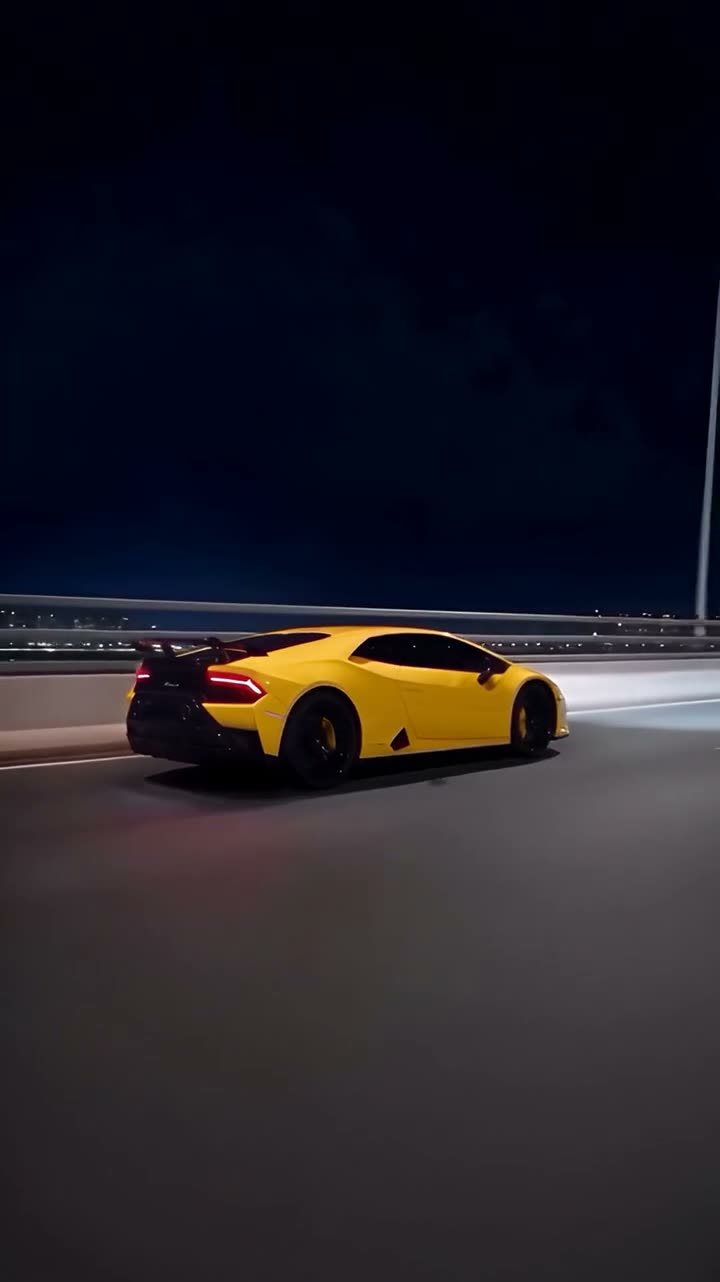
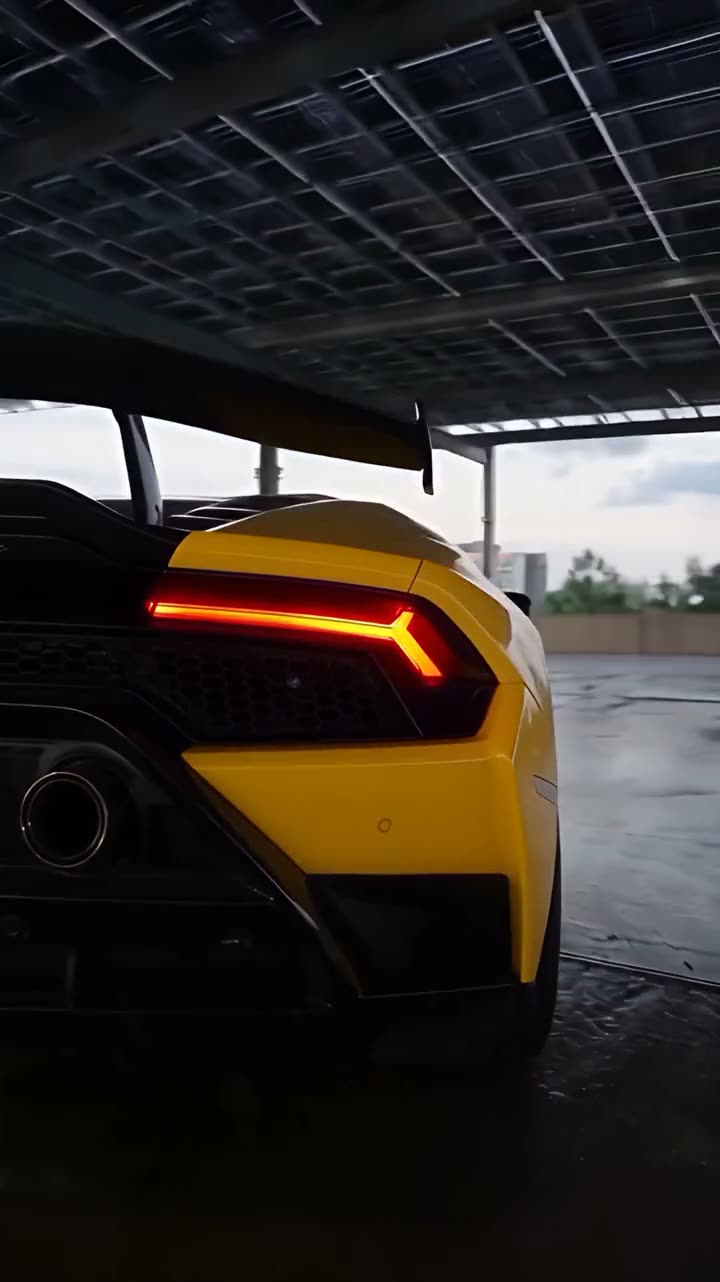
Vellm's example car at 2, 10 and 16.5 seconds. That taillight close-up is the rear photo at work.
Why it needs two photos
Both photos shape the toy and the full-size car. The front-facing shots follow Photo 1: the drive toward the camera, the front close-up, the front wheel and the final headlights. The tail shots follow Photo 2, including a tight taillight close-up at about 16 seconds in the example.
A single front photo would leave the model guessing what your rear lights look like, and the garage section shows them up close. That is why the template asks for both.
In Vellm's example, the toy on the ledge is already yellow with black wheels and the same rear wing as the real car. The toy and the full-size car read as the same car, and that is the effect you want from your photos too.
Taking the two photos
Photos you already have are fine if they fit two angles:
- Photo 1: the front or a front three-quarter angle, so the headlights and grille are clear.
- Photo 2: the rear or a rear three-quarter angle of the same car, so the taillights are clear.
In both, get the whole car in the frame rather than cropped at a bumper or a mirror. Daylight or an overcast sky is easier to read than a night shot under orange streetlights. Show the wheels in at least one photo, since there is a wheel close-up, and keep people out of the way and filters off.
The shape, colour and wheels in the video come from these photos. The train, the tunnel, the road and the garage come from the original clip, so the background of your photos does not matter. Vellm's example photos were taken at a sunset lookout, and that scenery does not appear anywhere in the result.
Your number plate. The video can show it, because the model copies what it sees. If you do not want it in a public post, cover or blur the plate in both photos before you upload them.
No people appear in the video. The template is built for cars; a motorbike or a van may give unpredictable results.
Make it in Vellm
- Open the Toy Car to Real Car template and play the preview through to the end. Make sure it is the version of the trend you want.
- Add Photo 1, the front of your car, and Photo 2, the rear of the same car.
- Check the price: 100 credits. No account is needed for a one-time purchase.
- Generate. It usually takes about 10–15 minutes.
- Watch the whole video and check that the shape and colour match your car. Small badges and lettering may not be exact.
- Download it.
Posting it
There are two downloads. The silent version is the one to post: add the trending sound inside TikTok, Reels or Shorts. The version with the original clip's sound is for personal viewing only.
The video has no text on it, so the caption is yours to write.
What it costs
One Toy Car to Real Car video is 100 credits, because it is a 25-second video rather than a short one. The smallest one-time pack that covers it is 100 credits for $9.99. No subscription is needed. Larger packs bring the price per credit down; the pricing page has the current packs.
If you want more car ideas after this one, the AI car video page collects the other car templates. For general photo advice, see how to choose a reference photo.