 Vellm
VellmHow to make a Tiny Desk AI video with up to five people
By Vellm ·
The Tiny Desk AI trend puts people into a cramped desk-concert set: a band squeezed behind a desk covered in records and memorabilia, headsets on, singing along at full volume. In the version Vellm recreates, one singer leads from a red keyboard, another cracks up laughing in a close-up, someone takes a sax solo, and two more sing in the back row.
To make it with your own group, open the Tiny Desk AI template and upload one to five photos, one person in each. You get a vertical video (9:16), 18 seconds long, for 100 credits. There is nothing to write and no song to pick.
Who sits where
This is the part to sort out before you upload anything. The five photo slots are five seats, filled in order:
| Photo | Seat | What they do |
|---|---|---|
| 1 (required) | Keyboard lead | Sings into a headset mic at the red keyboard, front and centre |
| 2 | Close-up singer | Gets the long close-up: head back, one hand up, laughing |
| 3 | Sax player | Plays the sax solo in a close shot |
| 4 | Back row, left | Sings and claps along behind the keyboard |
| 5 | Back row, right | Sings and claps along behind the keyboard |
- With one photo, that person plays two seats. Photo 1 becomes both the keyboard lead and the close-up singer, since those two never share a shot. Everyone else stays as in the example.
- Empty seats keep Vellm's example singers. If you upload three photos, the back row stays as the two example singers, with their outfits, headsets and instruments.
So the close-up seat is the one to think about. It is on screen longer than any other single shot. Give Photo 2 to the friend who will enjoy being the face of the video.
What happens in the clip
The clip has four shots:
| Time | Shot |
|---|---|
| 0–5 s | The band shot. The keyboard lead sings while the back row sings and claps between shelves of records. |
| 5–12 s | The close-up. The close-up singer sings with head tilted back, gestures with one hand and bursts out laughing. |
| 12–15 s | The sax solo, in a close shot, with the keyboard lead in the foreground. |
| 15–18 s | Back to the band shot for the last line, everyone together. |
Vellm's own example uses all five seats, with photos of five made-up adults: a man in a green sweater at the keyboard, a woman with curly hair in a yellow blouse in the close-up, a grey-bearded man in a navy plaid shirt on sax, a woman in a denim jacket at back left and a young man in a red plaid shirt at back right. Each one keeps the clothes from their photo all the way through, including the close-up singer's yellow blouse, which fills most of the frame for seven seconds.
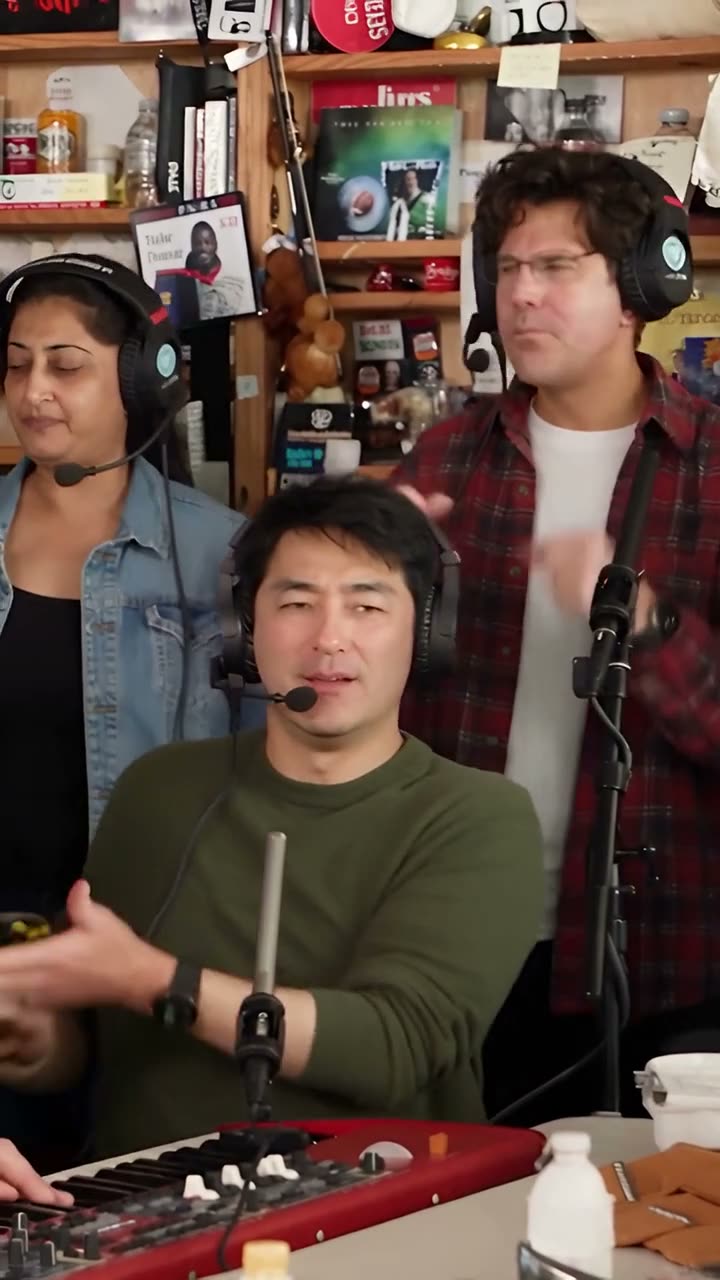
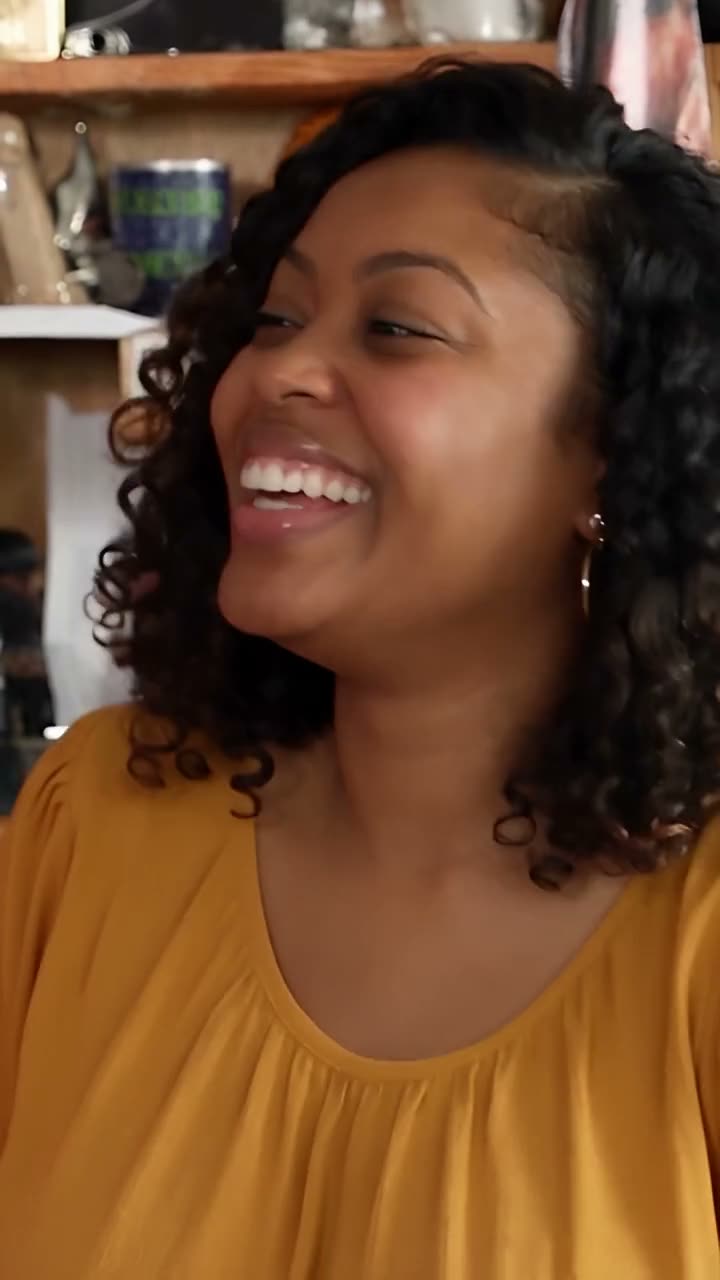
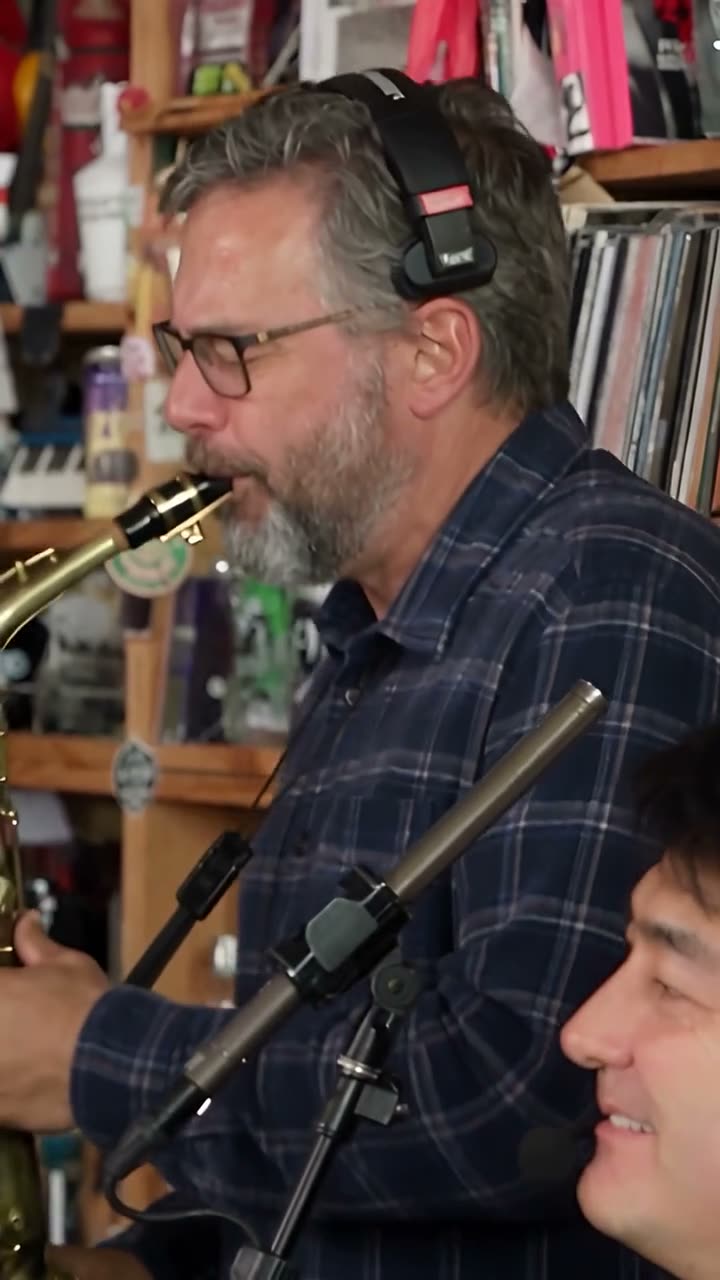
The band shot, the close-up and the sax solo, from Vellm's example.
Taking the photos
- One adult per photo, face clear, lit and looking at the camera. The template asks for front-facing photos, not profiles.
- Head and shoulders is enough. Everyone is behind the desk, so legs and shoes never appear.
- Wear what you want to be seen in. The photo sets the face, hair and clothes. The clip sets the singing, the headsets and the cuts.
- Only people who have agreed to be in it. No celebrities and no one under 18.
If you are making it for a group chat, it is quicker to ask everyone for a fresh, front-facing selfie than to crop faces out of an old group photo. A crop from a group shot usually leaves the face small.
Make it in Vellm
- Open the Tiny Desk AI template and play the example through to the end.
- Upload Photo 1, the keyboard lead. Then, if you want, add Photos 2 to 5 in seat order.
- Check the price: 100 credits. No account is needed for a one-time purchase.
- Generate. It usually takes about 10–15 minutes. When it is done, check the faces in the band shot, the close-up and the sax shot.
- Download it.
Sound and posting
The trend is a singing clip, so you will want the music back. There are two downloads. Post the silent one and add the sound inside TikTok or Reels. The version with the original clip's sound is for personal viewing only.
What it costs
One Tiny Desk AI video is 100 credits, whether you upload one photo or five. The smallest one-time pack that covers it is 100 credits for $9.99. No subscription is needed. See current pricing for larger packs.
For other group videos, browse the templates. For photo advice that applies to every template, see how to choose a reference photo.