 Vellm
VellmA Vellm example
Bulin 47 AI video example: one portrait, ten seconds of movement
By Vellm · October 15, 2026
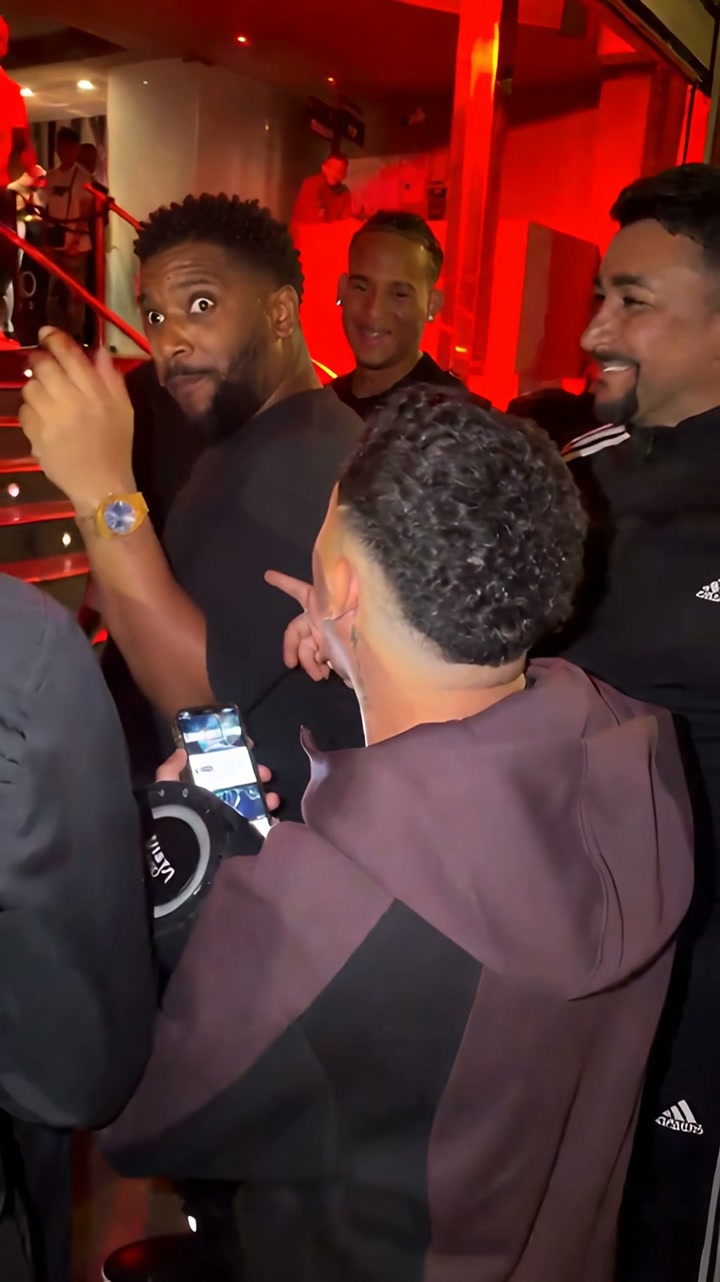
A still portrait becomes a lively performance in a crowded, red-lit room. This example shows what Vellm’s Bulin 47 template did with the supplied photo: short curls, a beard and a dark T-shirt carry into the video, while the setting, body movement and expressions change.
The video below is the actual output supplied for this case. It runs for about ten seconds and has no audio track. The timestamps describe this clip, not a promise that another generation will follow exactly the same timing.
The portrait and the finished clip
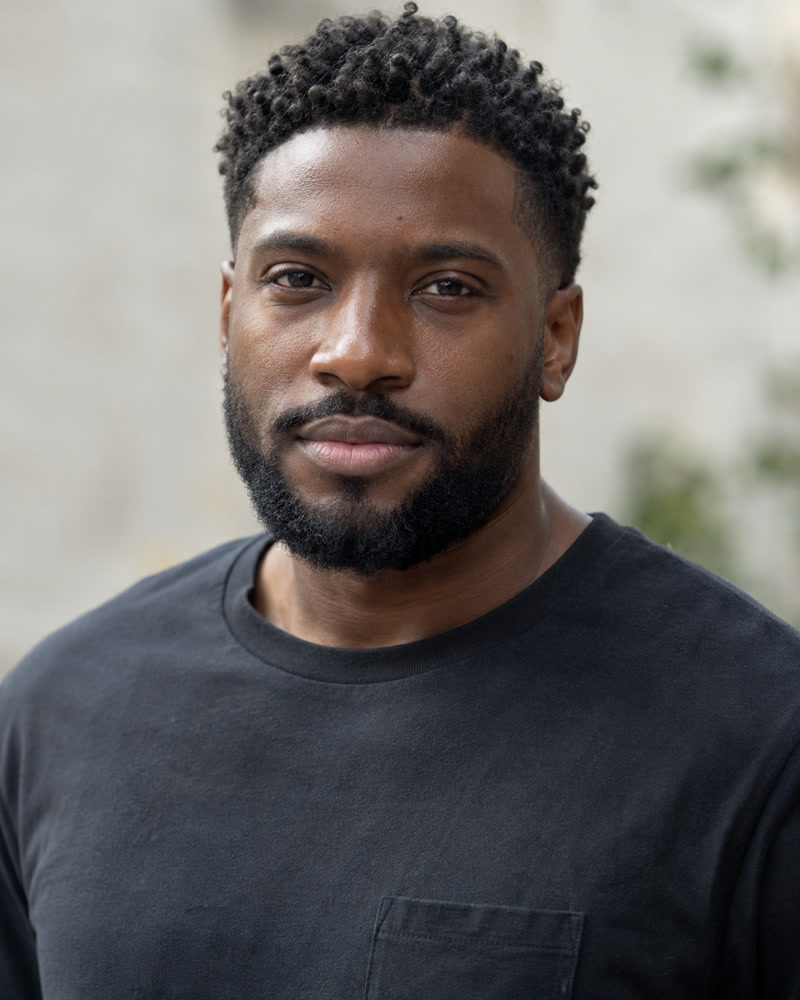
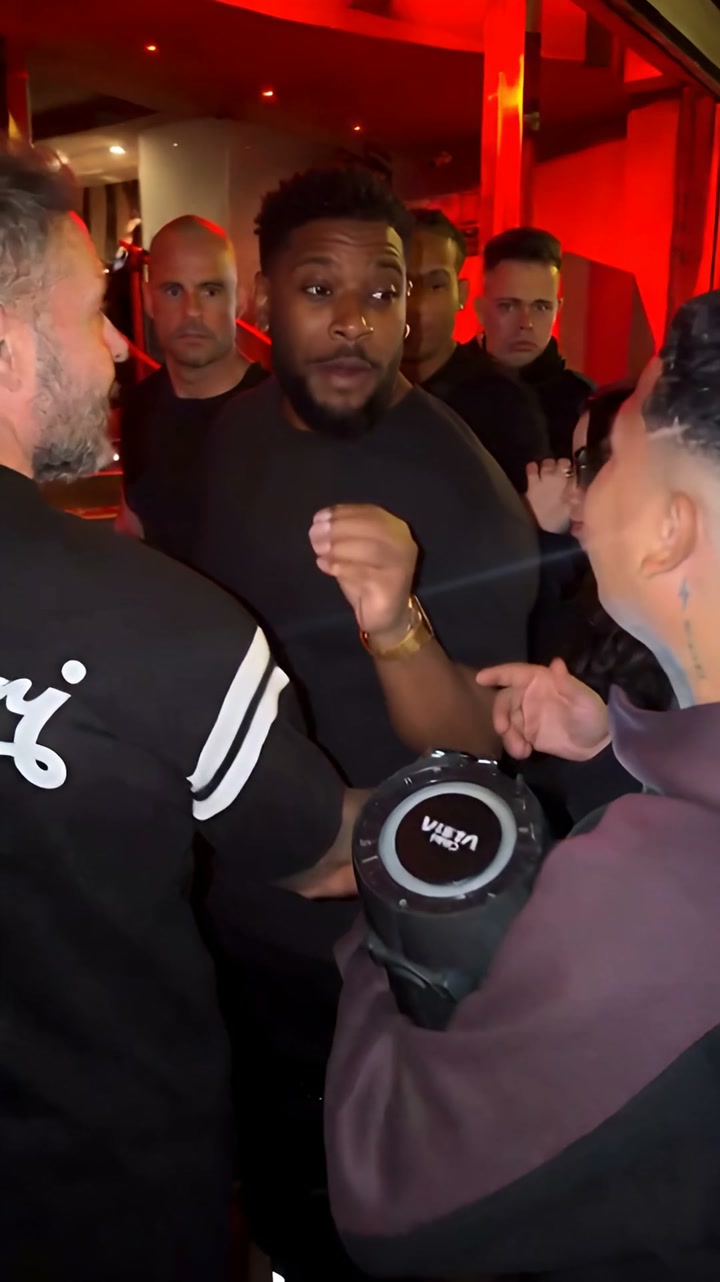
Actual generated video, silent. The published copy preserves the supplied video frames; file metadata was removed for publication. Open the full video.
| Duration | 10.04 seconds |
|---|---|
| Dimensions | 1080 × 1922 pixels |
| Frame rate | 24 frames per second |
| Audio | No audio track |
| Format | H.264 video in an MP4 file |
The frame is close to vertical 9:16, with two more rows than a 1080 × 1920 file. The product’s 1080p label describes enhanced output; it does not establish the model’s native rendering resolution.
One continuous shot, four phases of movement
The clip appears to stay in one room and one continuous handheld-style view. There are no obvious hard cuts. Dividing it into four phases makes it easier to see how the performance develops without pretending each phase is a separate shot.
0 to 2.5 seconds: establish the performer
The central performer starts facing the camera, surrounded by people at the sides and behind him. His mouth opens, his shoulders move and one hand rises toward chest height. The red lighting and foreground figures immediately create a setting very different from the quiet portrait.
Use the opening as a comparison point. Look at the hairline, beard and dark shirt before the larger gestures make facial comparison harder.
2.5 to 5 seconds: turn and return
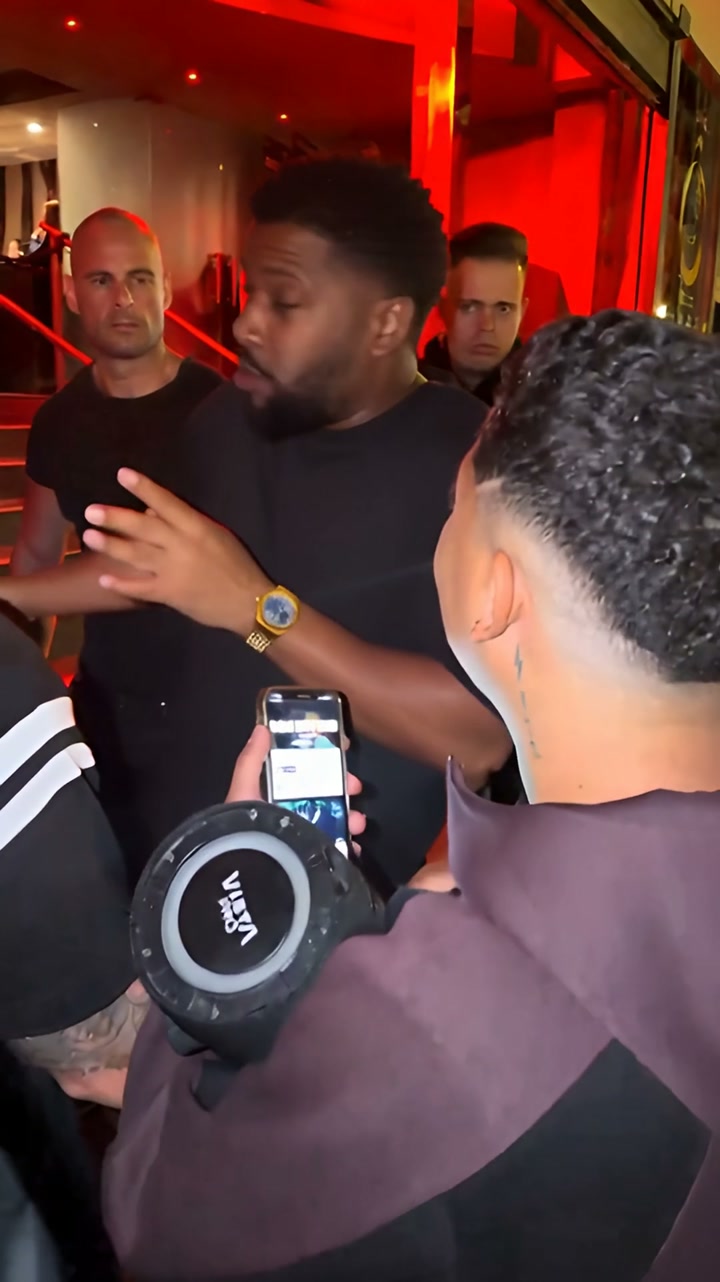
He turns toward the left side of the frame, gestures toward someone nearby, and turns back. The framing shifts slightly as people move in the foreground. A phone and a large round audio device occupy the lower part of the image.
He responds to the people around him, turning the performance into an interaction. Foreground overlap also hides parts of his arms and torso, so this is not a clear full-body dance demonstration.
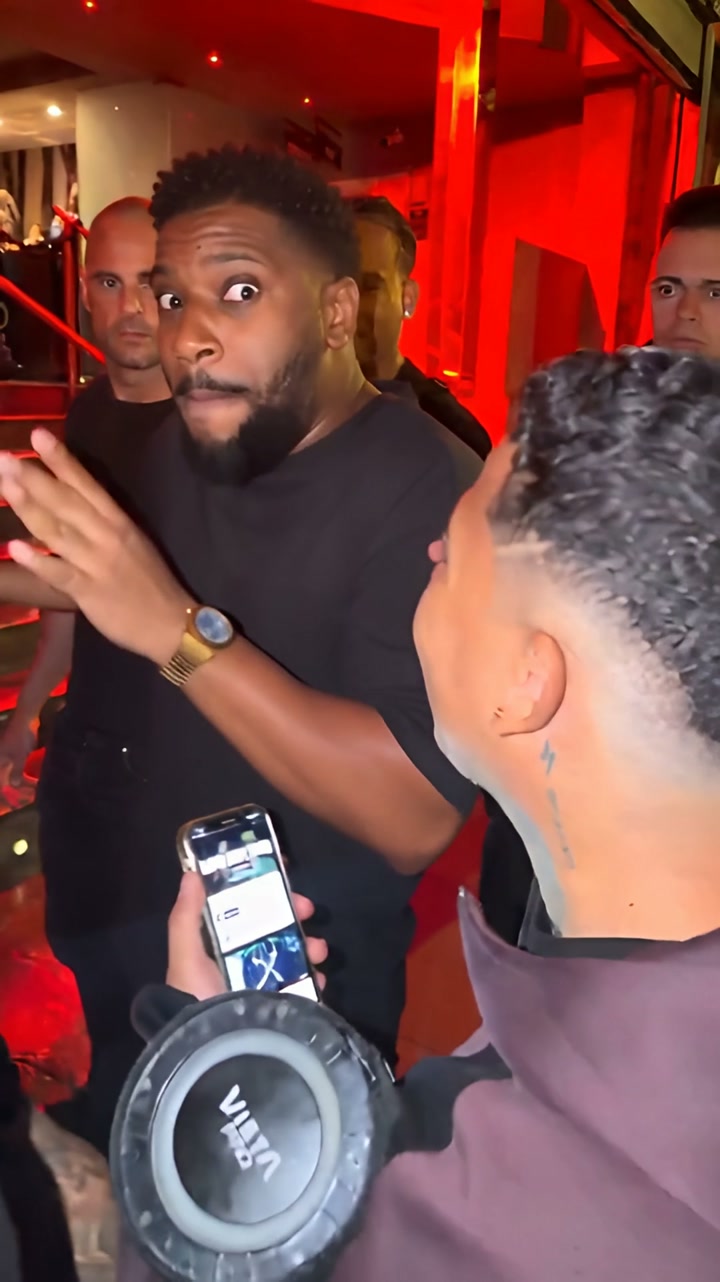
5 to 7.5 seconds: the face becomes the focus
At the midpoint, his eyes widen and his mouth changes shape as he brings his hands close together. The face occupies more of the frame than in the opening. Small camera shifts and the performer’s movement both change the composition; the file alone does not establish a programmed zoom.
Pause here to compare the face with the input. The expression is much more exaggerated than the input portrait, and the eyes, mouth and cheek shape do not look identical to the still photo.
7.5 seconds to the end: lean, turn and lift the hands
The framing opens out again as he leans and turns. Near the end, he raises his hands beside his face. The same red-lit room and surrounding group remain visible, which helps the clip read as one continuous encounter.
Movement looks rhythmic, but there is no soundtrack in this file. We cannot judge synchronization to the original song, spoken words or a beat from a silent export.
What carries over, and what the video adds
| Detail | What we can see |
|---|---|
| Hair and beard | Short dark curls and a full beard remain recognizable visual features. Their edges and shape vary as the head turns. |
| Clothing | The output keeps a dark crew-neck shirt. That is a broad visual match, not proof that every garment detail is preserved. |
| Expression | The neutral portrait becomes a performance with wide eyes, an open mouth and repeated changes of expression. |
| Body and accessories | Hands, lower-body movement and a gold watch appear in the video but are not visible in the supplied portrait. |
| Background | The soft, blurred portrait background is replaced by a red-lit room, a surrounding group, phones and an audio device. |
A head-and-shoulders portrait cannot specify everything in a wider moving scene. This result adds hands, accessories and surroundings. If an exact outfit, accessory or pose matters, inspect the full output before using it.
This is one supplied input/output pair. We do not have its retry history, generation time or checkout receipt. It demonstrates a result, not a success rate, a first-attempt claim or a guarantee of identity preservation.
How to make your own Bulin 47 video
- Open the Bulin 47 Freestyle template and compare its reference with the routine you want.
- Upload a clear photo of yourself or another consenting person. Keep the face visible, with good lighting and no sunglasses or face covering.
- Choose a scene for your vertical 9:16 video. The example here is vertical and shows a red-lit interior; the file does not record which scene option was selected.
- Review the credit cost, generate, and find the result in My creations. Watch the whole clip, including the hands and face during turns.
- Download it and add audio available for your account and intended use when you post. Preview the timing before publishing.
The original prompt for this job was not supplied, so we have not reconstructed one and labelled it as the prompt used. Vellm’s template provides the generation setup; the user chooses the photo and available options.
What one Bulin 47 video costs
The current template uses 30 credits. A 30-credit one-time pack costs $4.99, enough for one video at that cost. No subscription is required.
The 360-credit pack costs $44.99 and covers 12 videos at 30 credits each. That works out to about $3.75 per video, but the upfront payment is $44.99. Choose the larger pack only if you expect to use the remaining credits.
These are current USD pack prices, not a receipt for this example. Your local price and any taxes are confirmed at checkout. See the credit-cost guide for first-purchase offers and monthly plans.
What this example helps you decide
If you want a lively performance based on a portrait, this clip shows the kind of transformation to expect. If you need exact facial details, precise hand shapes or music already synchronized, examine the example closely: those are different requirements, and this silent clip cannot prove all of them.
Try the Bulin 47 template with your own photo, or compare the other templates before choosing.